Easy Unity 2D Camera Switch and Optimisation System
A downloadable System
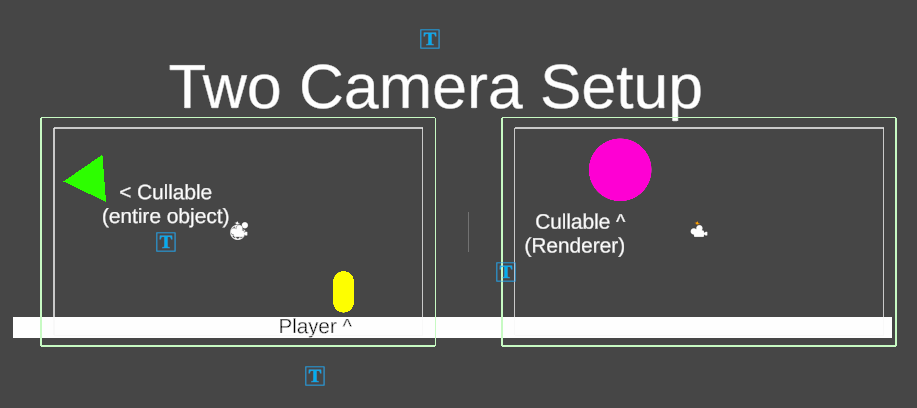
This camera system is aimed at projects where the camera doesn't move, but the player can move between cameras. So if you want a camera system similar to Celeste and care about optimisation, then this tool could be for you. This tool contains two scripts: CameraSwitch.cs and Cullable.cs.
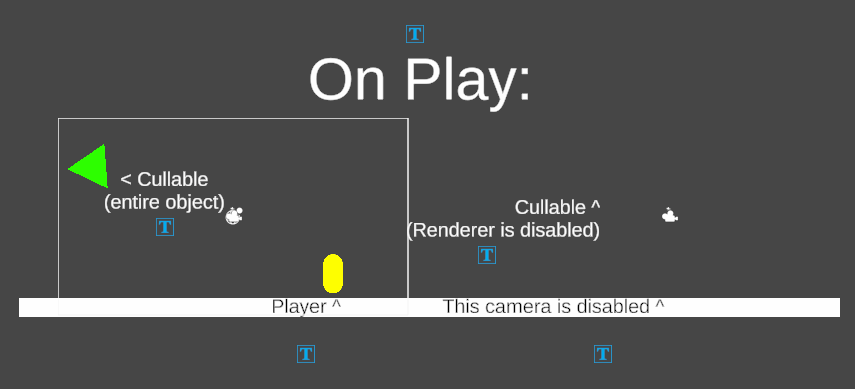
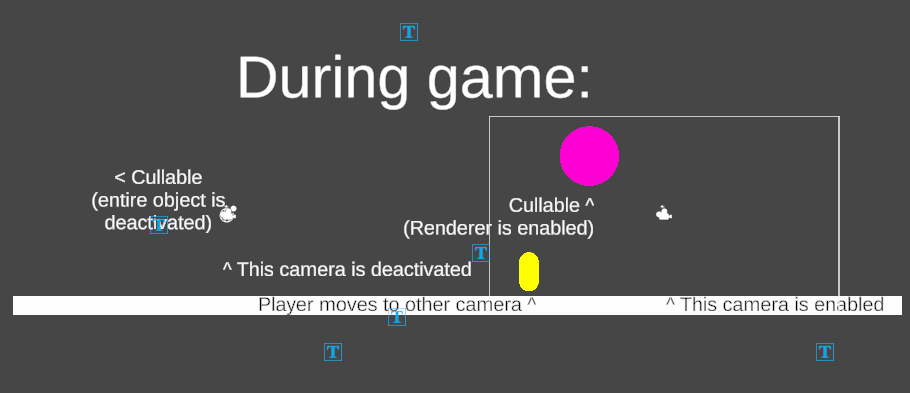
CameraSwitch.cs is the main driver of the system; it should be attached to your cameras, but doesn't require any attributes. It finds the Camera and Audio Listener components when the game plays. It works by detecting when the player has entered the camera's view (via a trigger around the Camera Frustrum). It then:
- Deactivates the Cullable objects that the previously active camera has visibility of.
- Deactivates the previous camera and its audio listener.
- Activates its camera and audio listener.
- Sets itself as the active camera
- Activates all the Cullable objects in its view.
Cullable.cs is the script you add to any object you want to cull when the camera can't see it (It culls itself and any children with renderers). It currently only has 1 option: either disable the entire object (which would interrupt any animators or Update() functions) or not (which would only deactivate the object's renderer; Update() would still run).
The whole system works off of these 2 Scripts and some assumptions:
Each Camera has a 2D Trigger on it; the player has the "Player" tag, a Rigidbody (that is either Kinematic or Dynamic), and a 2D Collider.
Download
Install instructions
It's two .cs files. Just drag and drop them into your project. Attach CameraSwitch.cs to your cameras and Cullable.cs to any object you want culled. Refer to the assumptions section of the description so that your project functions correctly. If not, ask on the forum!